
Team Functions

“From traditional org charts to self-organizing teams”
introduction

Welcome to Team Functions!

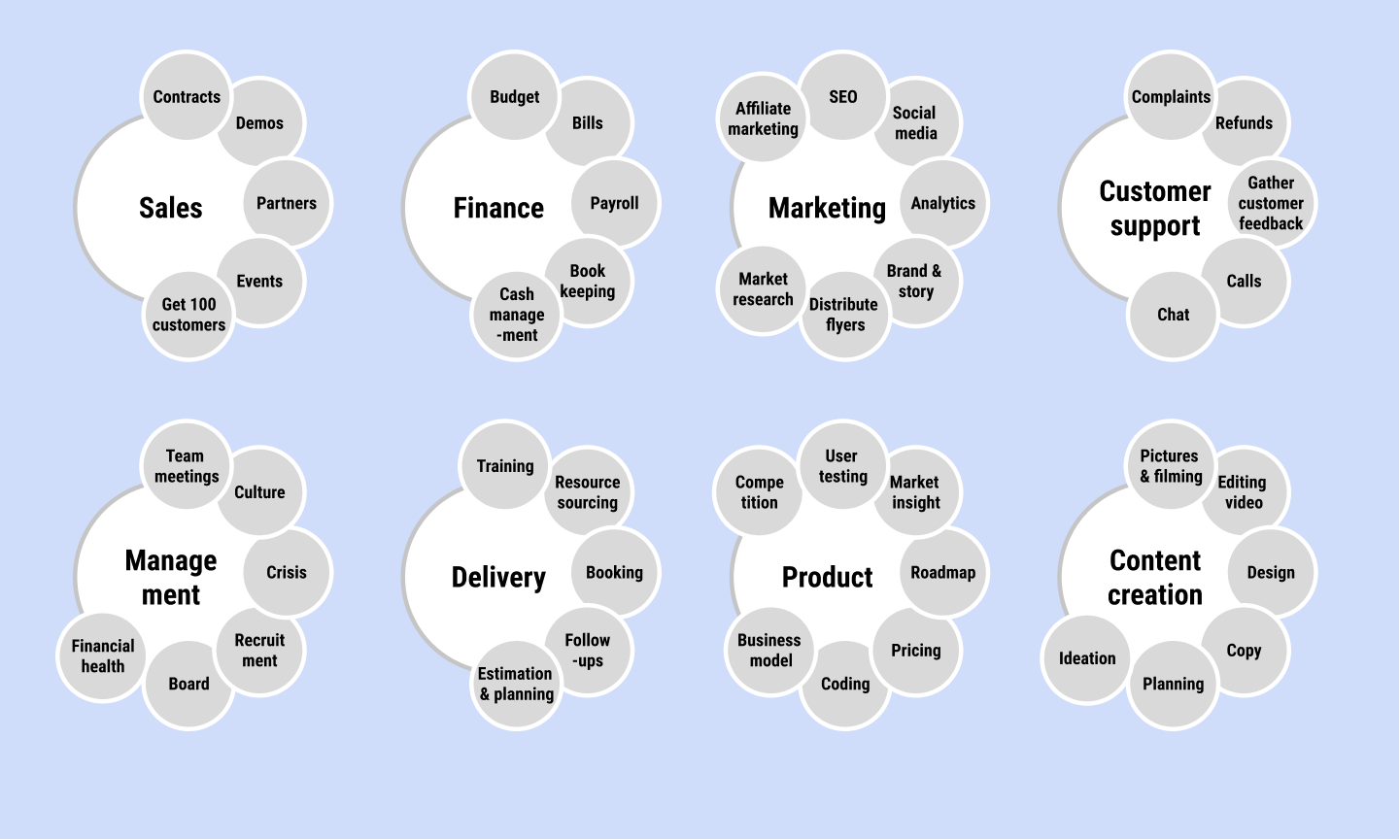
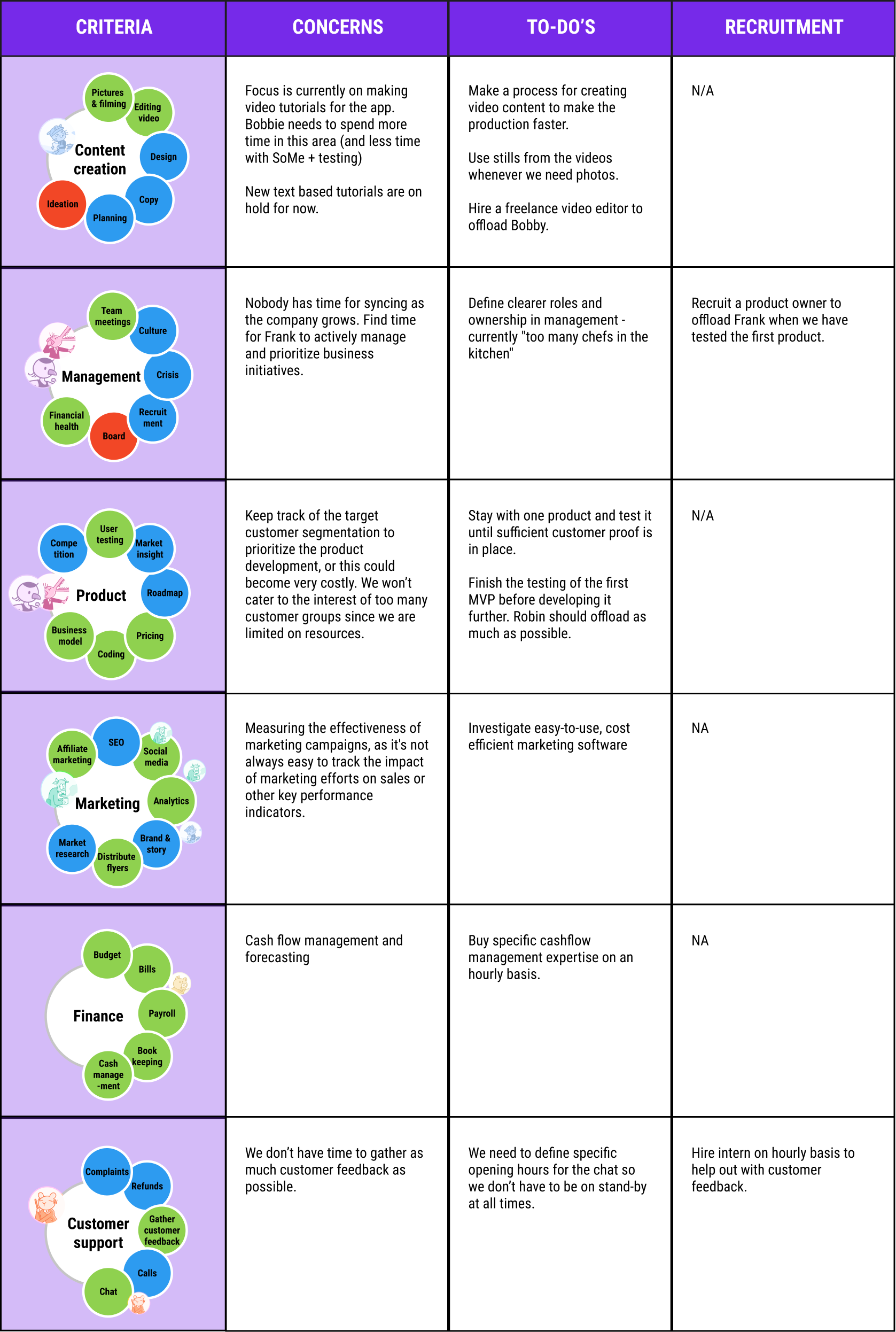
In Team Functions, you map out your company's functions and daily tasks, clarifying your team gaps and recruitment needs to scale.

How does it work?

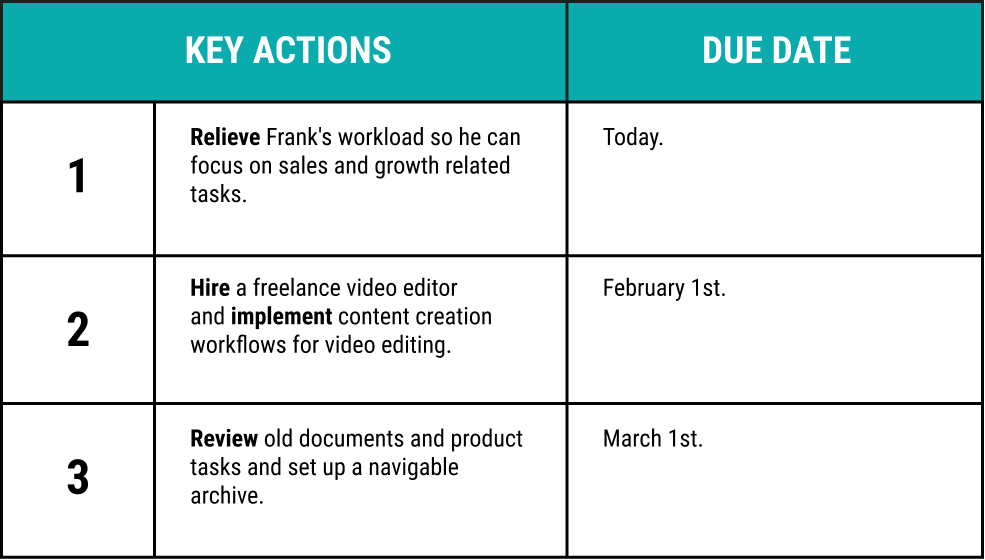
You always start by brainstorming and end by creating a planner to conclude 3 key actions for the next 3-6 months.
Hourglass Orange
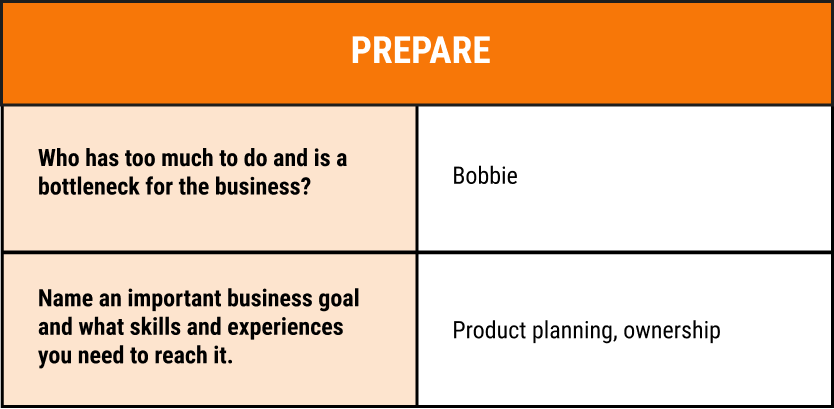
1. Prepare
Wildly discussing blue
2. Brainstorm
Team planning
3. Planner
Green pencil with checkmarks
4. Key Actions
Alert! Watch this Co-Creation Etiquette video with your team before you start your worksession.

Mobile Guide

Open the mobile guide on your phone and play as you go through the steps of each tool.
Before you start, make sure you have:
Checkmark
Set up your Miro workboard
Checkmark
Invited your team to the workboard and tools
Checkmark
Watched the Co-Creation Etiquette video
QR code for Team Functions
Scan QR code to open the guide on your phone
Open guide in
Dark outlined arrow inside a box, pointing outside of it
Open guide in
Dark outlined arrow inside a box, pointing outside of it
Team Functions slide preview

Example Company

To explain our tools we have an example company called “The Lost Handyman”. It gives you a hint of what the final result can look like.

The Lost Handyman

The Lost Handyman is our reference case that we use the explain our tools. As you might see in the examples it it related to practical skills.

This startup provides online help for common household problems. An app that provides unpractical people with tutorials, video chats, and onsite handyman help.

For example these problems:

  • Plumbing
  • Car problems
  • Gardening
  • Mounting things on walls
Red bird - human hybrid with a phone in one hand and a plunger in the other.

Tips & Tricks

Click to navigate through the Tips & Tricks of Team Functions.

Well done!

Now you are ready for your fourth tool: Scaling Roadmap.
Golfer
4.Scaling

Roadmap
“From scattered strategies 
to a one-page roadmap”
A lightbulb drown as a black outline
Example
Company
A mobile phone drown as a black outline
Mobile
Guide
A white chevron pointing right